Lists and Organization
Playlite offers different ways to organize what you want to play. Learn about the three of them and the difference between each one:
1. Playlist (Your Queue)
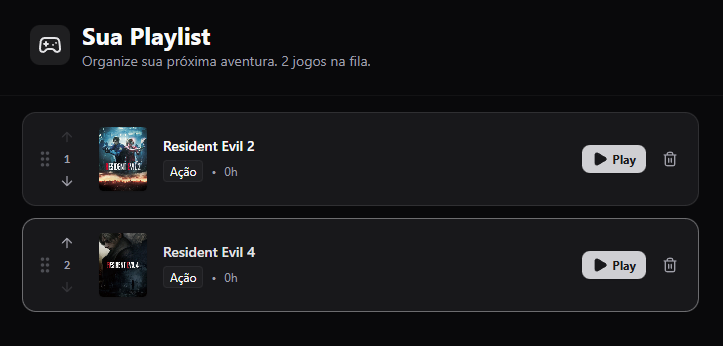
The Playlist is your play order. Think of it as an "Up Next" queue.
- When to use: For games you already own and want to play soon.
- Tip: Keep this list short (5 to 10 games) to avoid anxiety. Use it to focus on what matters right now.
There is a section with recommended games next to your Playlist. Explore those titles and add them to your queue if they seem interesting. Recommendations are based both on your taste and history, as well as on popular games.
2. Wishlist
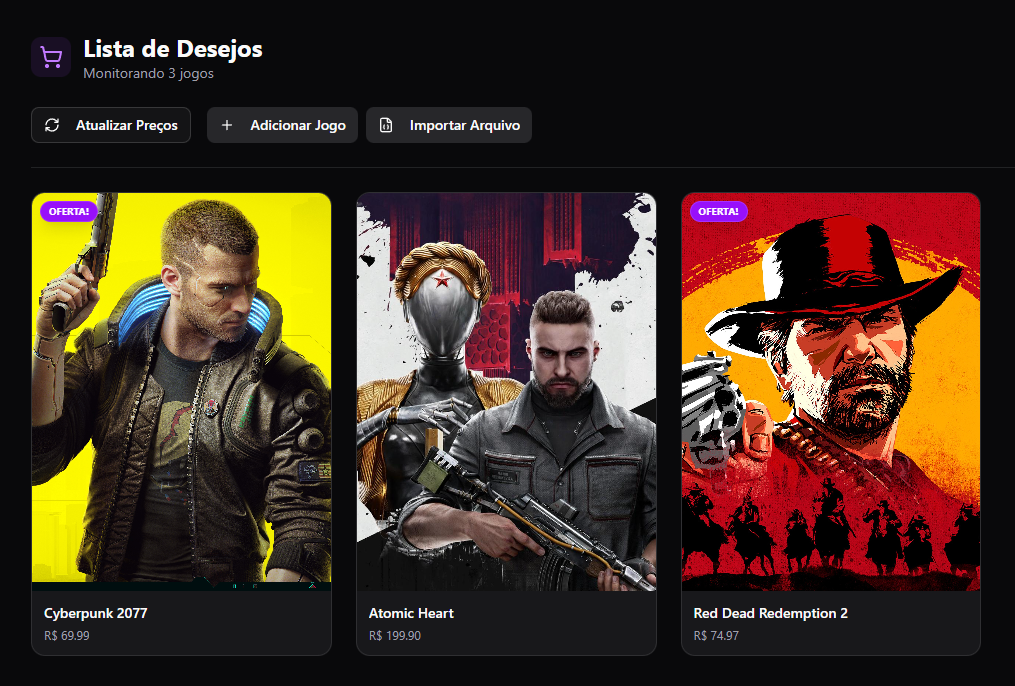
The Wishlist is for games you do not have yet or do not plan to play right now.
- When to use: Saw a game you liked in Trending? Add it to the Wishlist.
- Goal: Do not forget interesting titles for future sales.
You can also import your Steam or IsThereAnyDeal Wishlist using the JSON file import feature available to bring external wishlists into Playlite. Use this feature to consolidate your wishlists in one place and track prices.
Playlite also shows the stores with the best prices for the games in your Wishlist, including discount coupons if available, making it easier to buy when you decide to purchase a title.
3. Favorites
The Favorites page is your Hall of Fame.
- When to use: For games you love, play repeatedly (such as multiplayer), or want immediate access to.